AWS Launches Claude Cowork on Bedrock to Secure Enterprise Agentic Workflows

Amazon Web ServicesAmazon Web Services

· Updated

AWS launched a public research preview of Claude Cowork and Claude Code Desktop on Amazon Bedrock, allowing organizations to run Anthropic's agentic tools within their own cloud perimeter. By routing inference through Bedrock, companies can deploy autonomous agents to non-technical teams while maintaining strict data residency and using consumption-based billing instead of seat licenses.

AWS launched a public research preview of Claude Cowork and Claude Code Desktop on Amazon Bedrock. This integration allows organizations to run Anthropic's agentic desktop applications while routing all model inference (running a trained model to generate outputs) through their existing AWS account instead of external servers.
Availability
Public research preview
Inference backend
Amazon Bedrock
Pricing model
Consumption-based AWS billing
Deployment method
MDM configuration (Jamf, Intune)
Security features
IAM, VPC endpoints, CloudTrail
Excluded features
Computer Use, Skills Marketplace, Chat tab

This update mirrors the release of agentic tools for non-technical tasks while meeting enterprise security requirements. By keeping data within AWS, organizations can bypass residency hurdles, matching the broader trend of deploying autonomous agents at scale. It replaces fixed seat licensing with consumption-based billing.

You can now deploy these agents to automate research and document synthesis using AWS IAM for authentication and VPC endpoints. This matches the shift toward unattended task execution seen in the standalone app. While it supports MCP, features requiring Anthropic-hosted inference like Computer Use are excluded.

AWS AI
AWS AI
@AWSAI
X

Claude Cowork is now available via Amazon Bedrock in public research preview. Organizations can run @claudeai Cowork through their own AWS environment, keeping prompts, files, and model responses within their AWS account. https://t.co/D47tGmZHnL https://t.co/G3mw4AYKfV

3retweets7likes
View on X
Still wondering? A few quick answers below.

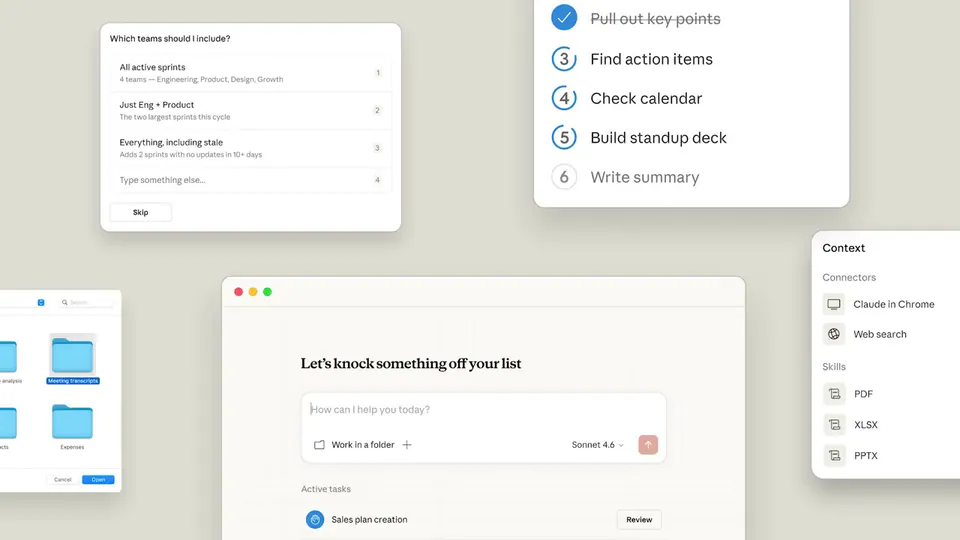
Claude Cowork is a desktop application designed for knowledge workers to delegate multi-step tasks like research, document analysis, and report generation to AI. It includes features like projects for organization and artifacts for viewing content. Unlike standard chat assistants, it can use tools and process local files to complete complex office workflows.

To set up Claude Cowork on Amazon Bedrock, users first download the Claude Desktop application. Administrators then use a device management system like Microsoft Intune or Jamf to push a configuration file. This file specifies the model ID, authentication methods, and organizational policies, routing all model inference through the company's existing AWS environment.

Claude Cowork on Bedrock routes all model inference through your AWS account rather than Anthropic's servers. While it supports core features like projects and Model Context Protocol servers, it excludes features requiring Anthropic-hosted inference. This means capabilities like Computer Use, the Skills Marketplace, and the standard Chat tab are not available in this specific Bedrock-integrated version.

Pricing for Claude Cowork on Amazon Bedrock is consumption-based, meaning you pay only for the tokens used through your existing AWS agreement and billing. This differs from the standard Claude Enterprise model, which typically requires fixed seat licensing. There are no separate seat licenses required from Anthropic when using the Bedrock inference backend.

When using Claude Cowork through Amazon Bedrock, your data remains under your AWS account controls. Amazon Bedrock does not store prompts, files, tool inputs, or model responses. Furthermore, AWS does not use any of this data to train foundation models, ensuring that sensitive organizational information and research stay within your private cloud environment.

Every HeadsUpAI update is written based on its original source and reviewed before it's published. Read our editorial standards →

Share this update