HeadsUpAI

Anthropic Launches Dynamic Workflows to Orchestrate Fleets of Claude Code Subagents

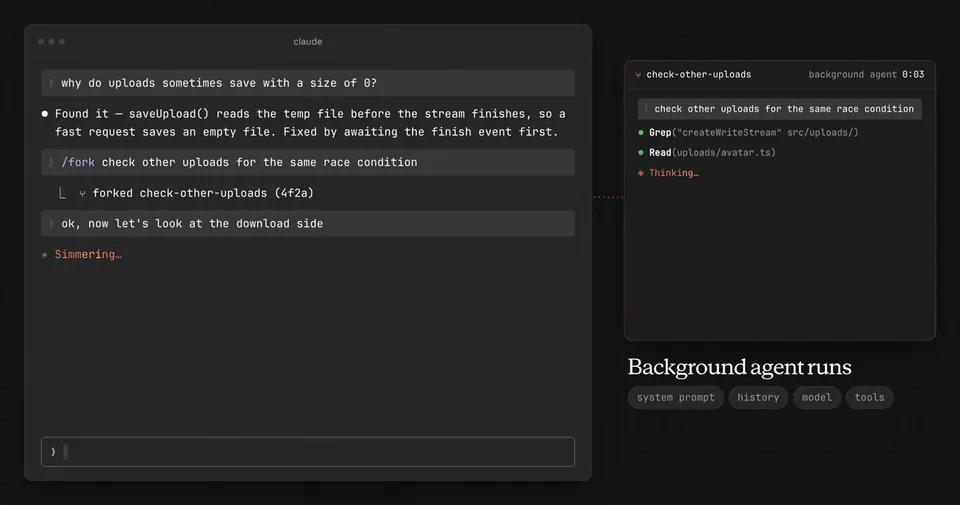
Anthropic launched dynamic workflows in research preview for Claude Code. The feature enables Claude to generate JavaScript orchestration scripts on the fly, which then trigger a fleet of coordinated subagents (autonomous workers spawned to handle specific subtasks) to execute complex engineering work in parallel.
Total agents per run
1,000 agents
Concurrent subagents
Up to 16 agents
Availability
Max, Team, Enterprise, and API
Effort level
ultracode
Runtime environment
JavaScript

This update addresses the context window bottleneck that limits single-agent systems during massive operations. By moving the execution plan into a separate runtime, Claude maintains a clean conversation state while managing concurrent sessions. This approach aligns with industry shifts toward OpenAI Codex's parallel subagents and Devin's managed subtasks.

You can trigger a workflow by using the keyword in a prompt or setting the /effort ultracode level. Workflows are available for Max, Team, and Enterprise plans, and via the API on Bedrock, Vertex AI, and Foundry. Custom scripts can be saved as reusable slash commands within a project's directory.

ClaudeDevs
ClaudeDevs
@ClaudeDevs
X

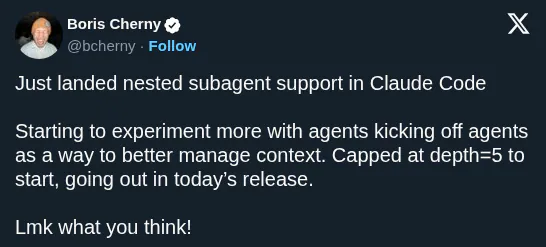
New in Claude Code (research preview): dynamic workflows. Claude writes an orchestration script on the fly, then spins up a large fleet of coordinated subagents in parallel to take on your most complex tasks. Use the word "workflow" in a prompt to get started. https://t.co/re4SG3AyDm

436retweets5.8klikes
View on X

Still wondering? A few quick answers below.

Dynamic workflows are a research preview feature that allows Claude Code to handle complex, large-scale engineering tasks. Instead of a single agent loop, Claude writes a JavaScript orchestration script and spawns a fleet of up to 1,000 parallel subagents. This approach is designed for codebase-wide bug hunts, massive migrations, and multi-angle research tasks.

You can trigger a workflow by including the word workflow in your natural language prompt. Alternatively, you can use the new ultracode effort level by typing /effort ultracode in the terminal. This setting uses high-intensity reasoning and allows Claude to automatically decide when a task is complex enough to warrant a parallel multi-agent workflow.

Dynamic workflows are available for users on Claude Max, Team, and Enterprise plans. They are also accessible via the Claude API, including deployments on Amazon Bedrock, Google Cloud Vertex AI, and Microsoft Foundry. While on by default for Max and Team users, Enterprise administrators must manually opt in through their managed settings.

Yes, dynamic workflows are reusable and can be saved as custom slash commands. You can save a workflow script to your project directory to share it with teammates via your repository, or save it to your home directory for personal use across different projects. These saved workflows then appear in the autocomplete menu.

Dynamic workflows consume significantly more tokens than standard Claude Code sessions because they run many subagents in parallel. These runs count toward your plan usage and rate limits. To manage costs, Claude Code prompts for confirmation before starting a workflow, and you can monitor or stop active runs using the workflows command.

Share this update