OpenAI
@OpenAI
Just gonna leave this here. https://t.co/EOI980j9e9 https://t.co/HxbCl2Izcz
 OpenAI
· Updated
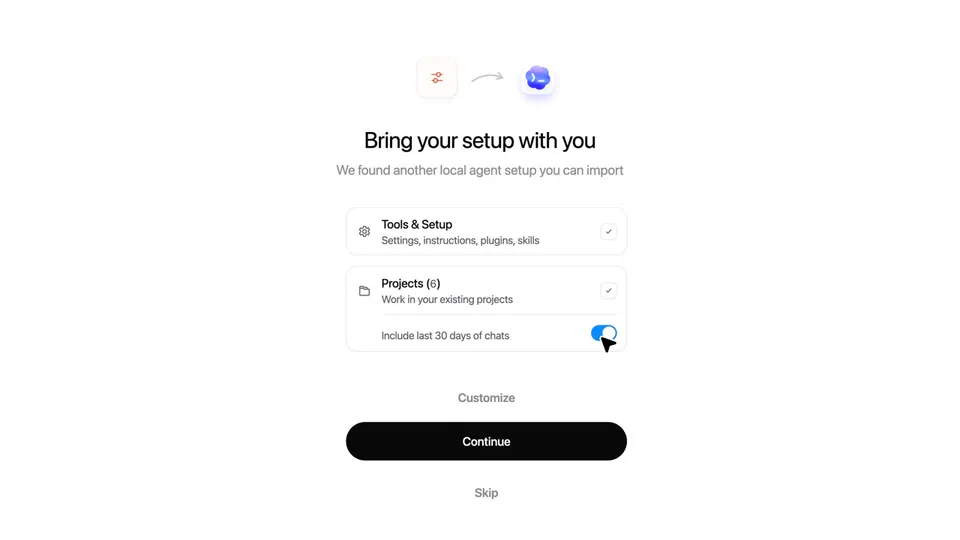
OpenAI released a guided migration tool for its Codex app that automatically imports configurations and skills from other AI coding agents. The update targets developers facing rate limits or setup friction by turning personalized agent environments into portable assets.
This addresses "configuration lock-in," where developers hesitate to switch tools because of the time invested in personalizing an agent. By making workflows portable, OpenAI positions Codex as a reliable alternative, matching the industry focus on Perplexity's Agent Skills guide. It shifts the competition to workflow continuity.
Access the migration flow by downloading the Codex desktop app and selecting "Import agent setup" in settings. This hardening of the onboarding experience follows a pattern seen in Anthropic's Claude Code stability fixes. Once imported, you can resume existing projects directly within the Codex interface.
Just gonna leave this here. https://t.co/EOI980j9e9 https://t.co/HxbCl2Izcz
Still wondering? A few quick answers below.
Every HeadsUpAI update is written based on its original source and reviewed before it's published. Read our editorial standards →
More like this