HeadsUpAI

Anthropic Hardens Claude Code With 60 New Reliability and Terminal Fixes

· Updated

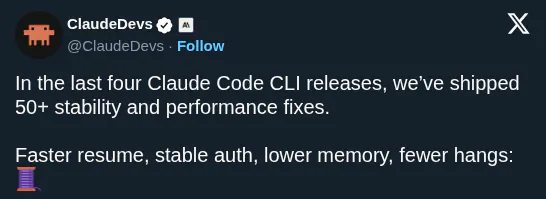
Anthropic released over 60 reliability fixes for Claude Code, its terminal-based agentic coding tool (AI that autonomously writes and iterates on code). The release follows a Claude Code reliability batch of 50+ fixes from the previous week, marking two consecutive weekly drops focused on hardening rather than new features.
Fix count this week
60+ reliability fixes
Previous week
50+ Claude Code reliability fixes
Focus areas
Long-running sessions, agent loop, authentication, terminal rendering
Terminals fixed
Cursor, older VS Code, JetBrains
Update command
claude update

Anthropic groups the fixes into four areas: smoother long-running sessions, a more efficient agent loop, authentication that works in more environments, and terminal fixes. The terminal chapter specifically calls out fixed too-fast scrolling in Cursor, older VS Code, and JetBrains terminals, plus correct rendering of Japanese, Korean, and Chinese text on Windows in no-flicker mode.

You can pick up these fixes by running claude update in your terminal. The rendering chapter also lands two smaller UX improvements: pasting text that starts with / now reaches the prompt instead of being intercepted as a command, and Ctrl+L redraws the screen while keeping your current input. The full changelog is available at code.claude.com/docs/en/changelog.

ClaudeDevs
ClaudeDevs
@ClaudeDevs
X

Last week we shipped 50+ Claude Code reliability fixes. This week it's 60+ more. Smoother long-running sessions, a more efficient agent loop, auth that works in more environments, and terminal fixes: 🧵

168retweets3.9klikes
View on X

Still wondering? A few quick answers below.

Claude Code is Anthropic's terminal-based agentic coding tool. It runs as a CLI in the terminal, navigates codebases, writes and edits code, and can execute commands as part of an agent loop rather than only answering questions in a chat. The 60+ reliability fixes in this release apply to that terminal-based tool, not to other Claude products.

Run `claude update` in your terminal. Anthropic explicitly directs users to that command in the announcement thread to pick up the 60+ new reliability fixes shipped this week, along with the 50+ fixes from the previous week. The full list of changes is available in the Claude Code changelog at code.claude.com/docs/en/changelog.

Anthropic specifically calls out fixed too-fast scrolling in Cursor, older VS Code, and JetBrains terminals. The same rendering chapter notes that Japanese, Korean, and Chinese text now render correctly on Windows when Claude Code is running in no-flicker mode. Other terminals not named in the thread are not explicitly covered by this set of fixes.

After this update, yes — Anthropic states that Japanese, Korean, and Chinese text renders correctly on Windows when Claude Code is in no-flicker mode. This is one of the four items listed in the rendering chapter of the release thread, alongside scrolling, paste, and Ctrl+L fixes. Users on Windows with CJK input should pick up the improvement after running `claude update`.

Anthropic describes the change as a more efficient agent loop, listed alongside smoother long-running sessions and broader authentication coverage as one of the headline areas of the 60+ fix release. The thread does not enumerate every internal change, but positions the agent loop work specifically at improving long-running coding sessions rather than adding new capabilities.

Share this update