Cursor
@cursor_ai
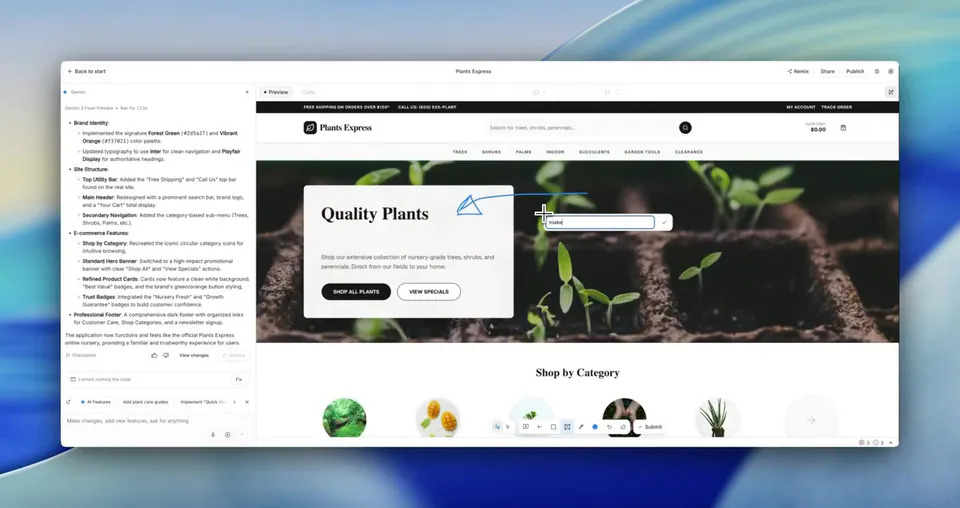
With Design Mode, you can now point, draw, or talk to update your UI. https://t.co/Bug3p7cVyI
189retweets2.7klikes
View on X Cursor
· Updated
Cursor has updated its Design Mode, enabling users to visually guide AI agents by pointing, drawing, or speaking directly on a running application's interface. This update aims to streamline UI development by providing agents with precise visual context for code changes.
This update addresses the challenge of translating visual design intent into code, moving beyond text-only prompts. It creates a tighter loop between noticing a change and implementing it, allowing for faster iteration. This approach aligns with broader industry efforts, such as Google's Edit Mode for vibe coding and Google DeepMind's Magic Pointer concept, exploring multimodal UI interaction.
Design Mode turns a click on an element, a scribble over a region, or a spoken instruction into a code edit, and several can run at once, queuing new changes before the last lands. Composer 2.5 drives the edits and the running app hot-reloads as they ship, keeping the loop from spotting a change to seeing it tight.
With Design Mode, you can now point, draw, or talk to update your UI. https://t.co/Bug3p7cVyI
Every HeadsUpAI update is written based on its original source and reviewed before it's published. Read our editorial standards →