Warp
@warpdotdev
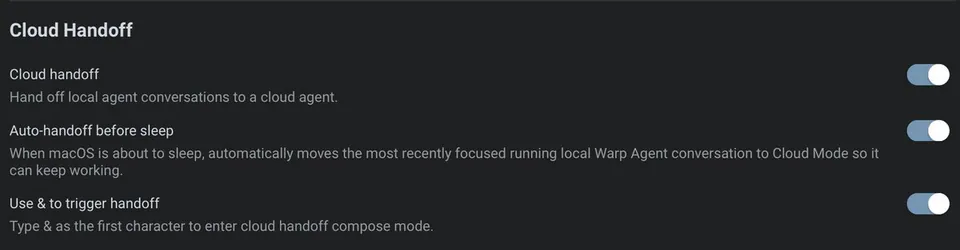
You can now handoff any Warp agent conversation to the cloud. Just type & with your next prompt, and follow along from anywhere using the live session link. https://t.co/1MJIue9SAl
4retweets40likes
View on X Warp
Warp· Updated
Warp developers can now move active terminal agent sessions to the cloud by prefixing prompts with the & symbol. This shift allows long-running autonomous tasks to continue executing independently of the local machine while providing a link for remote monitoring.
& before a prompt, users can transfer a local conversation to the cloud. This expands on Warp Oz platform capabilities, which introduced the infrastructure for persistent remote agent orchestration.This update addresses the tethering problem of local agentic coding. Traditional terminal-based agents stop when the session ends, which is impractical for complex, multi-step refactors. Moving execution to the cloud ensures the agent loop remains active, transforming the terminal into a remote management interface rather than just a local execution tool.
You can now initiate a task locally and monitor progress from any device using a generated live session link. This enables asynchronous workflows where an agent handles heavy lifting—mirroring the Gemini 3.5 Flash integration—while you move between workstations. The feature is available now within the Warp terminal for all users.
You can now handoff any Warp agent conversation to the cloud. Just type & with your next prompt, and follow along from anywhere using the live session link. https://t.co/1MJIue9SAl
Still wondering? A few quick answers below.
Every HeadsUpAI update is written based on its original source and reviewed before it's published. Read our editorial standards →
More like this