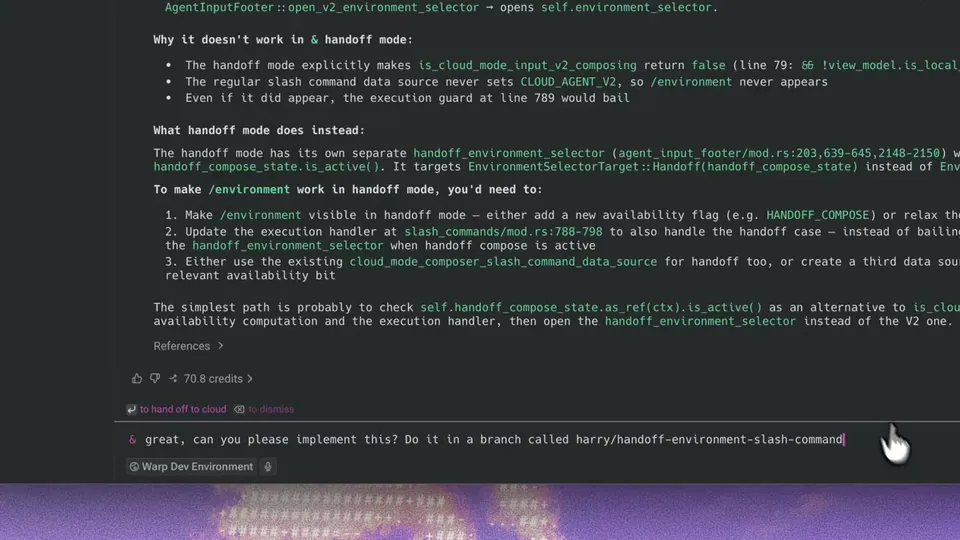
You can now close your laptop to automatically send agent conversations to the cloud. Live in the latest version (yes, really) https://t.co/cc3PaCX1lO
Warp Automates Cloud Handoff to Keep Terminal Agents Running After Closing Laptops
Warp, an agentic development environment combining a terminal and AI agents, launched an automatic cloud handoff feature that triggers when a user closes their laptop. This update follows the recent launch of Warp's manual cloud handoff, which required a specific command to move terminal sessions to the Oz cloud infrastructure.
- Workspace state
- Git branch, tracked and untracked changes
- Run identity
- Stable ID, task, and environment context
- Supported agents
- Warp Agent, third-party runtimes
- Infrastructure
- Oz cloud platform
- Availability
- Latest Warp version
Persistence is a critical bottleneck for agentic coding (AI that autonomously writes and tests code across multiple files). Most terminal-based agents stall if the local machine sleeps or loses connection. Automating the cloud transition allows agents to maintain their agent loop independently of hardware state.
Enable this in settings to ensure multi-step tasks continue in a fresh cloud session that restores workspace state, including Git branches and untracked changes. The feature supports the native Warp Agent and other third-party agent runtimes. Cloud-to-cloud handoff is available now in the latest version of the Warp app.
Warp
@warpdotdev
24retweets386likes
View on XStill wondering? A few quick answers below.
Cloud handoff is a feature in the Warp terminal that moves an active AI agent conversation from your local computer to the Oz cloud platform. This allows long-running coding tasks to continue executing independently in the cloud, ensuring that the agent loop remains active even if your local terminal is closed or loses its connection.
When you enable the cloud handoff setting and close your laptop, Warp automatically transitions your active agent session to the cloud. The system captures a workspace snapshot, which includes your conversation history, repository changes, and current Git branch. A fresh cloud session then restores this state so the agent can pick up exactly where it left off.
The cloud handoff feature supports the native Warp Agent as well as integrated third-party agentic coding tools. This allows developers to maintain persistence for any supported agent runtime, ensuring that long-running tasks continue in the cloud even after the local terminal session has ended.
Warp preserves the entire conversation transcript and the workspace state, including both tracked and untracked repository changes. The run also maintains a stable identity, keeping the same ID, task definition, and environment context. This allows you to monitor the agent's progress through a single management view in the Warp app or Oz web dashboard.
Yes, you can use cloud-to-cloud handoff to send follow-up instructions to a completed run. By sending a new message to a finished conversation, Warp initiates a fresh cloud session and restores the prior workspace state. This allows you to extend a unit of work without needing to manually restart the agent or provide new context.