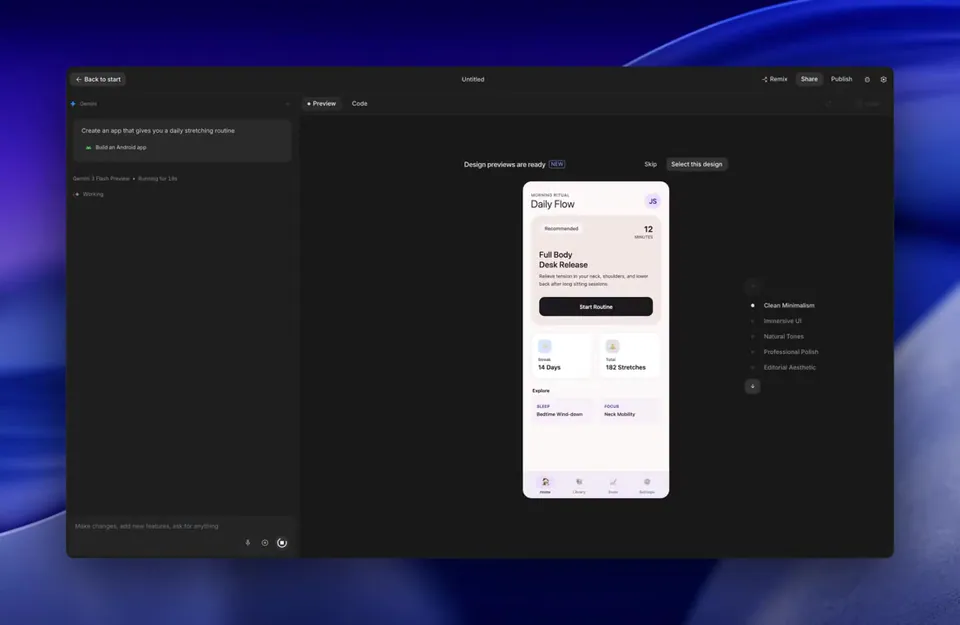
Google introduced a dedicated Build Mode and App Gallery in AI Studio to formalize the vibe coding workflow for creating functional applications. Users can now generate, iterate on, and deploy full-stack tools like games and trackers using only natural language prompts.
Google launched a formalized vibe coding experience within Google AI Studio, featuring a new Build Mode that turns natural language into functional software. This environment allows you to create games, websites, and applications from a single sentence, using the Gemini model family to handle logic and code generation.
This update signals a shift to a structured development paradigm where vibes—or high-level creative intent—replace manual syntax. By providing a dedicated deployment path and an App Gallery for remixing projects, the platform lowers the barrier for non-technical creators to ship production-ready tools without a traditional engineering background.
You can start building in Google AI Studio by entering a prompt in Build Mode or browsing the App Gallery. Once a project is generated, you can refine it through dialogue and follow the new deployment documentation to host your site or app. These features are currently available to all users.