HeadsUpAI

OpenAI Codex Sites turns natural language into interactive hosted apps

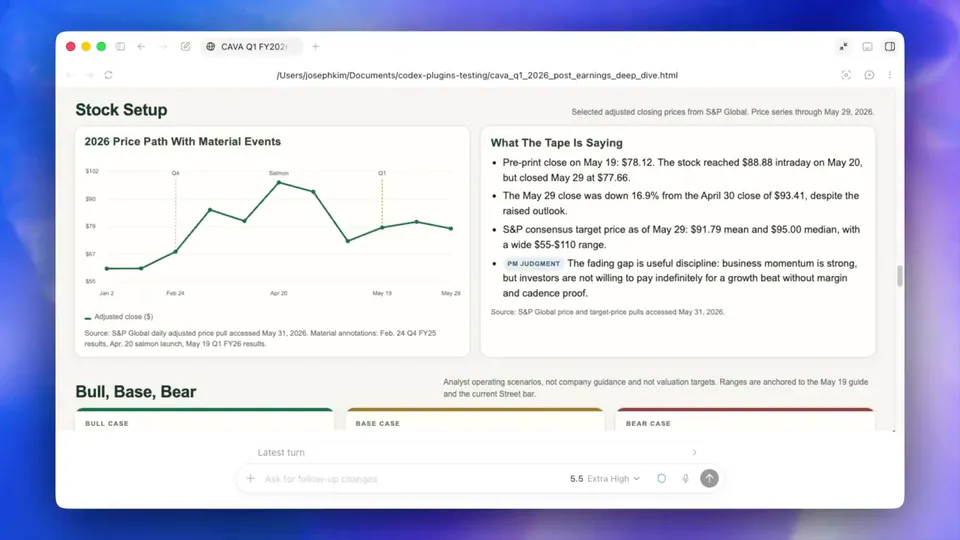
OpenAI is rolling out Sites, a feature for Codex that transforms text-based plans into hosted, interactive web applications. This release builds on the Codex for Work framework. Users can refine generated content using annotations for in-place edits to elements like charts.
Feature
Sites (interactive hosted apps)
New Plugins
6 (Sales, Analytics, Design, and others)
Plugin Scope
62 apps and 110 skills
User Demographics
20% non-developers
Access Tier
Business and Enterprise preview

This update addresses the rapid growth of non-developers using Codex, who now represent 20% of the user base. By enabling shareable URLs for internal tools, OpenAI is moving beyond the developer showcase toward production-grade utility. It positions Codex as an agentic hub—a system that plans and uses tools autonomously.

Sites roll out in preview for Business and Enterprise customers, alongside new role-specific plugins that bundle tools like Snowflake and Salesforce for specific teams. Admins can manage these capabilities and app permissions through Codex workspace settings.

OpenAI
OpenAI
@OpenAI
X

Building apps has never been easier. With Sites, Codex can turn your work, ideas, and plans into an interactive website or app your team can explore, use, and share with a URL. Rolling out to Business and Enterprise plans, before expanding more broadly. https://t.co/fF17Y2EzCP

1.7kretweets18klikes
View on X

Still wondering? A few quick answers below.

OpenAI Codex Sites are interactive, hosted web applications and tools generated directly from natural language prompts. Users can ask Codex to create dashboards, project boards, or scenario planners, which are then deployed to a shareable URL for workspace collaboration.

The Sites feature and the new role-specific plugins are currently rolling out in preview for OpenAI Business and Enterprise customers. Workspace admins can enable these features and manage underlying application permissions through their administrative settings.

Annotations allow users to refine specific parts of a generated site or document in-place. By selecting a specific element—such as a navigation bar or a chart—users can provide targeted instructions to Codex to update only that section without regenerating the entire project.

Every HeadsUpAI update is written based on its original source and reviewed before it's published. Read our editorial standards →

Share this update