HeadsUpAI

Google Gemini Generates Downloadable Office Files Directly From Your Chat Prompts

Google launched a file generation feature for the Gemini app that allows users to create and download documents directly within a chat session. Instead of receiving plain text, you can now prompt the model to produce specific formats like PDFs, Google Workspace files, and Microsoft Word or Excel documents.
Supported Workspace formats
Google Docs, Sheets, Slides
Supported Office formats
Microsoft Word (.docx), Excel (.xlsx)
Additional file formats
PDF, CSV, TXT, RTF
Generation method
Conversational prompts
Template requirement
None
Delivery method
Direct download in chat

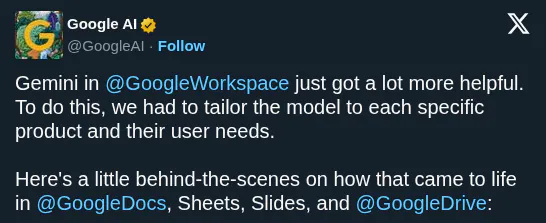
This update addresses the "copy-paste tax" where users must manually format raw text into professional documents. It mirrors OpenAI's office file support but integrates it into a consumer-facing interface. This move follows Gemini's product-specific upgrades that improved its internal understanding of spreadsheets and documents.

You can now generate project trackers or data exports by specifying the content and format in your prompt. The feature supports CSV, TXT, and RTF without requiring a template upload. These capabilities are rolling out now, enabling a faster transition from research to finished, shareable assets.


Google Gemini
Google Gemini
@GeminiApp
X

You can now generate a variety of downloadable files, including PDFs, @GoogleWorkspace files, Microsoft Word & Excel, and more directly in your chats with Gemini. Tell Gemini what content to create and the file format you want when you prompt without having to upload a template.

672retweets5.4klikes
View on X

Still wondering? A few quick answers below.

Gemini can generate a wide range of downloadable file formats directly in your chat. This includes Google Workspace files like Docs, Sheets, and Slides, as well as Microsoft Word and Excel documents. It also supports creating PDFs, CSV data files, plain text files, and rich text format documents for various professional and personal use cases.

To generate a file, you simply tell Gemini what content you want to create and specify the desired file format within your prompt. The AI processes your request and builds the document, spreadsheet, or presentation directly in the chat interface. Once the generation is complete, you can download the finished file or export it to your preferred application.

No, you do not need to provide or upload a template to use this feature. Gemini is capable of transforming your conversational ideas into thoughtfully formatted files from scratch. You just describe the content and the structure you need, and the AI handles the formatting and file creation without requiring any pre-existing document as a starting point.

Yes, Gemini now supports the creation of Microsoft Office files. Specifically, you can ask the AI to generate Microsoft Word documents in .docx format and Microsoft Excel spreadsheets in .xlsx format. This allows you to move your AI-generated content directly into standard office software suites for further editing, sharing, or professional collaboration without manual copy-pasting.

Google has launched this file generation capability for the Gemini app, and it is currently rolling out to users. You can access these features by prompting Gemini in your chat to create specific file types. While most formats allow for direct download from the chat, some specific instances may require you to export the content to the corresponding application first.

Share this update