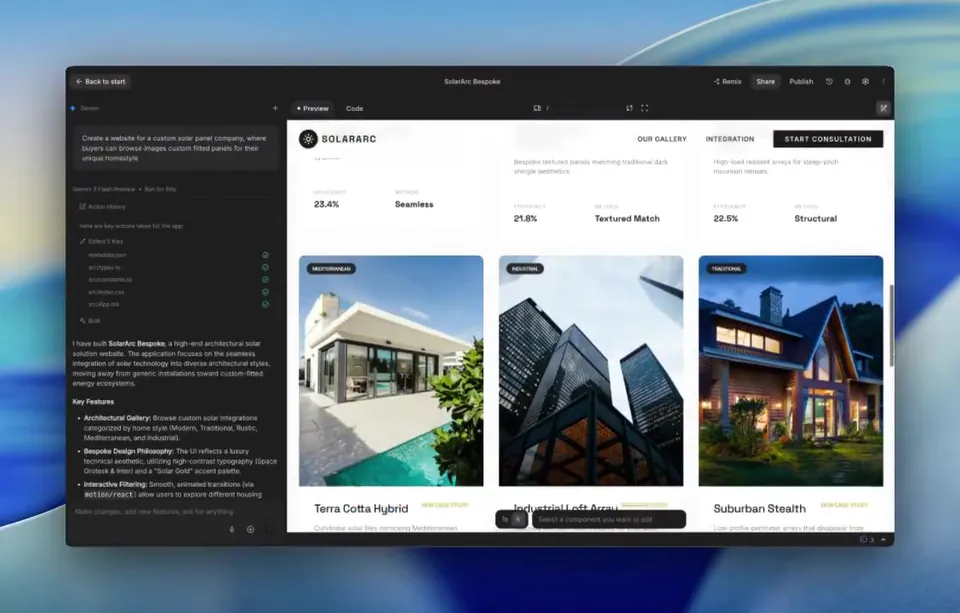
Gemini now generates visual designs for applications during the build process in Google AI Studio. This update allows users to instantly apply polished UI themes to functional prototypes, bridging the gap between raw code and demo-ready software.
Google AI Studio updated its build environment to include automated design generation for applications powered by Gemini. While developing an app's logic, you can now choose between five distinct visual themes to style the interface. This feature provides a polished, out-of-the-box design that is applied instantly to the prototype.
This update addresses the design friction inherent in rapid prototyping, where developers often settle for raw text interfaces. By integrating UI styling directly into the build workflow, Google is supporting vibe coding—building functional apps through natural language descriptions—allowing users to move from a prompt to a demo-ready application without manual CSS.
You can access these themes now within the AI Studio build environment. After defining your app's core capabilities, select a theme and hit apply to transform the visual layout. This is useful for creating MVPs or internal tools that require a professional look without dedicated design resources.