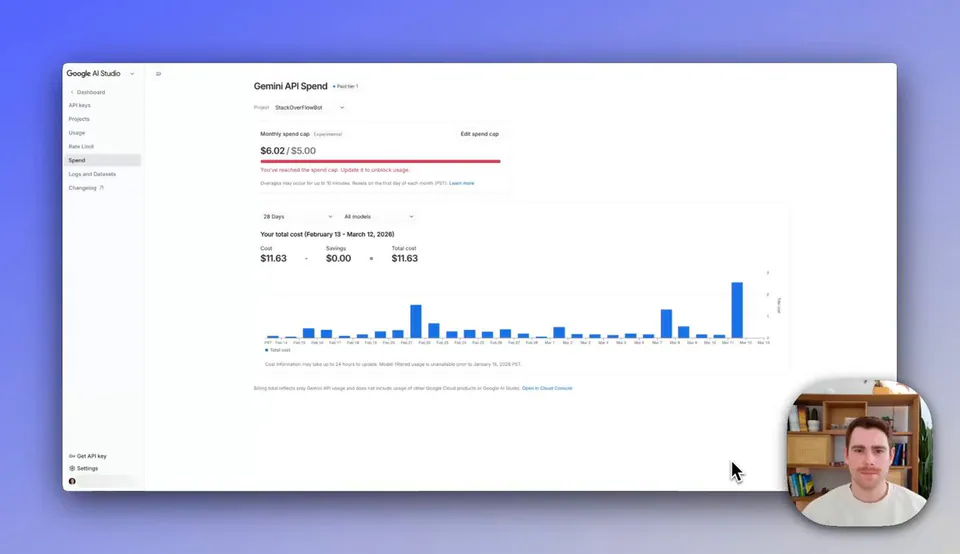
Google AI Studio adds Project Spend Caps for per-project monthly budget limits on Gemini API costs, revamped Usage Tiers that auto-upgrade as spending and payment history grow, and new rate limit, cost, and usage dashboards.
Google AI Studio rolls out three cost management features for the Gemini API. Project Spend Caps let you set a monthly dollar limit per project — the cap stays active until you modify or disable it, with a ~10-minute enforcement delay. This is particularly useful for accounts running multiple projects that need granular billing control.
The revamped Usage Tiers now auto-upgrade you to higher rate limits as your spending and payment history grow. Tier qualification thresholds are lower, and each tier carries a system-defined billing account cap that increases as you graduate upward. Google also added dashboards for rate limits (RPM, TPM, RPD), daily cost breakdowns filterable by model, and expanded usage metrics — all directly inside AI Studio.
Set a spend cap on each of your active Gemini API projects and use the new cost dashboard to track daily spend by model directly within AI Studio.