Claude Code can now send push notifications to your phone when a long task finishes or Claude needs your input. Walk away from the terminal, we'll let you know when it's done. https://t.co/FavNOxThSa
Anthropic Launches Claude Code Mobile Push Notifications for Asynchronous Task Management
· Updated
Anthropic added mobile push notifications to Claude Code. When a developer initiates a Remote Control session, the agent can now proactively ping their phone to signal that a long-running task is complete or that it has reached a human-in-the-loop checkpoint (a safety pattern where AI pauses for manual approval).
- Required version
- Claude Code v2.1.110 or later
- Eligible plans
- Pro, Max, Team, Enterprise
- Setup command
- /remote-control
- Configuration
- Push when Claude decides
- Notification triggers
- Task completion or input request
- Mobile support
- iOS and Android
This update addresses the "terminal-watching" bottleneck in agentic workflows. As coding agents move from simple autocompletes to multi-agent task swarms, execution times can stretch. Push notifications transform Claude Code into an asynchronous operator that manages its own idle time by alerting the user only when necessary.
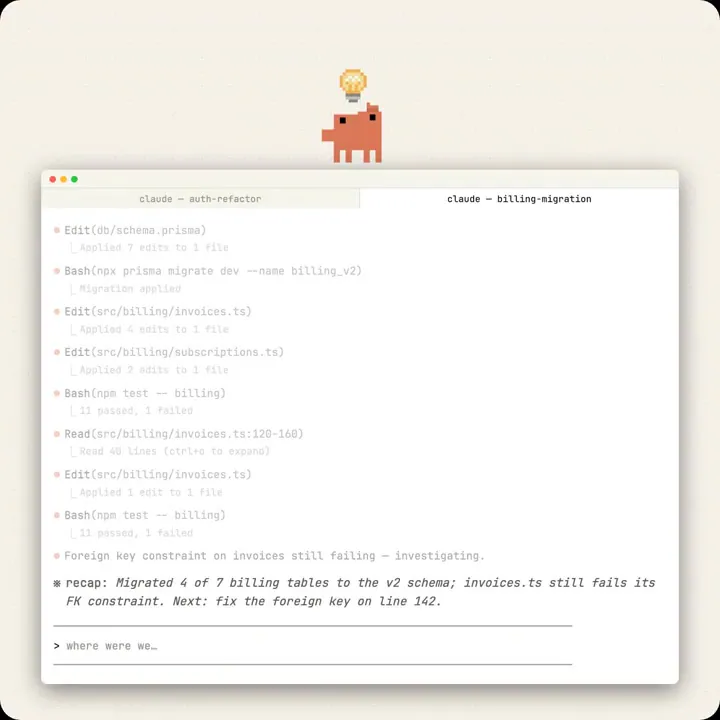
To enable notifications, you must be on a paid subscription and running version v2.1.110 or later. After pairing your mobile app via the /remote-control command, use /config to toggle on the "Push when Claude decides" setting. This works with session recaps to help you regain context.
ClaudeDevs
@ClaudeDevs
1.1kretweets19klikes
View on XStill wondering? A few quick answers below.
To enable notifications, you must first install the Claude mobile app and sign in with your Claude Code account. In your terminal, run the /remote-control command to pair your device. Finally, run /config within Claude Code and set the Push when Claude decides option to true to start receiving alerts on your phone.
Mobile push notifications for Claude Code are available to users on Pro, Max, Team, and Enterprise plans. This feature is not supported for users authenticating solely with API keys. For Team and Enterprise accounts, an administrator must first enable the Remote Control toggle in the Claude Code admin settings before individual users can use it.
Claude determines when to send a notification based on the task progress. It typically sends an alert when a long-running task finishes or when it requires a human decision to continue. You can also manually request a notification by including a prompt like notify me when the tests finish during your interactive session.
You must be running Claude Code version 2.1.110 or later to use mobile push notifications. Additionally, you need the Claude mobile app installed on an iOS or Android device. The local Claude process on your computer must remain running, as closing the terminal or stopping the process will end the session and prevent notifications.
If notifications fail to arrive, ensure the Claude mobile app is open so it can refresh its push token. Check that your phone is not in a Focus mode or battery optimization setting that suppresses alerts. If the configuration menu shows No mobile registered, opening the app while Remote Control is active should resolve the connection.