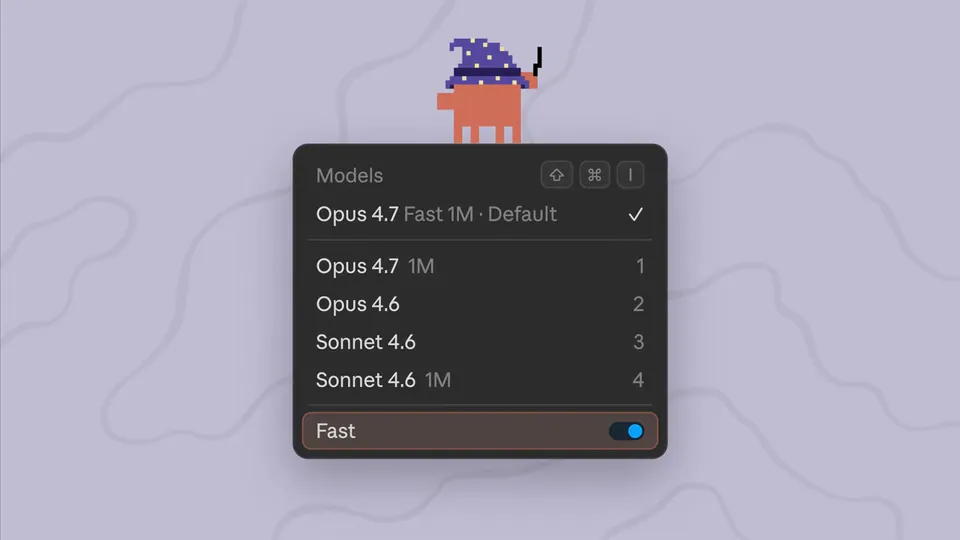
Two updates to auto mode: · Now available on the Pro plan · Sonnet 4.6 is now supported, alongside Opus 4.7 Shift+tab, and let Claude run.
Anthropic Expands Claude Code Auto Mode to Pro Plan and Sonnet 4.6
Anthropic expanded access to auto mode in Claude Code, its terminal-based agentic coding tool, to subscribers on the Claude Pro plan. This mode allows the AI to execute multi-step tasks—like editing files and running shell commands—without manual approval. The update also adds support for the Claude Sonnet 4.6 launch alongside Opus 4.7.
- Availability
- Claude Pro, Team, Enterprise, and others
- Supported models
- Claude Sonnet 4.6, Claude Opus 4.6, Claude Opus 4.7
- Required version
- Claude Code v2.1.83 or later
- Provider support
- Anthropic API only
- Safety mechanism
- Background classifier model
This shift addresses prompt fatigue, where developers must constantly approve minor operations during agent sessions. Moving this to the Pro tier brings high-velocity autonomous workflows to individual developers. It builds on the Claude Code auto mode launch for Team plans that introduced the background safety classifier distinguishing safe edits from risky commands.
Update to Claude Code v2.1.83 or later via claude update to access these features. Auto mode is restricted to the Anthropic API and is not available through Bedrock or Vertex AI. The classifier blocks dangerous actions like production deploys, but you can manually retry blocked tasks.
ClaudeDevs
@ClaudeDevs
135retweets3.3klikes
View on XStill wondering? A few quick answers below.
Auto mode is a feature in Anthropic's terminal-based coding tool that allows the AI to execute multi-step tasks autonomously. Instead of asking for permission before every file edit or shell command, a background classifier model reviews each action for safety. This reduces prompt fatigue by allowing the agent to work through complex engineering tasks without constant human intervention.
Auto mode is now available to users on the Claude Pro, Team, and Enterprise plans, as well as those using the Anthropic API directly. To access the feature, users must update to Claude Code version 2.1.83 or later. On Team and Enterprise plans, an administrator must first enable the feature in the admin settings before individual users can activate it.
Auto mode currently supports Claude Sonnet 4.6, Opus 4.6, and Opus 4.7. Older models, including Sonnet 4.5 and the Claude 3 family, are not compatible with this autonomous mode. The feature requires the Anthropic API as the provider and is not available through third-party platforms like Amazon Bedrock or Google Vertex AI.
The classifier is a separate model that reviews every action before it runs to ensure it does not escalate beyond the user's request. It automatically allows local file edits and dependency installs but blocks risky operations like production deployments, mass deletions, or modifying shared infrastructure. If an action is blocked, users can manually review and approve it to resume the session.
You can enter auto mode during a session by pressing Shift and Tab to cycle through permission modes until auto appears. It can also be set as a persistent default by adding a specific permission setting to your global configuration file. In the VS Code extension, users must first enable a toggle in the settings before the mode becomes selectable in the interface.