Warp Terminal Integrates OpenRouter to Provide Direct Access to Multi-Model Inference
Warp·
· Updated
Warp added native support for OpenRouter, allowing developers to connect their own API keys to access a wide range of frontier and open-weight models directly from the terminal. This integration enables users to bypass platform credits by routing agent requests through their personal OpenRouter accounts for better pricing and uptime.
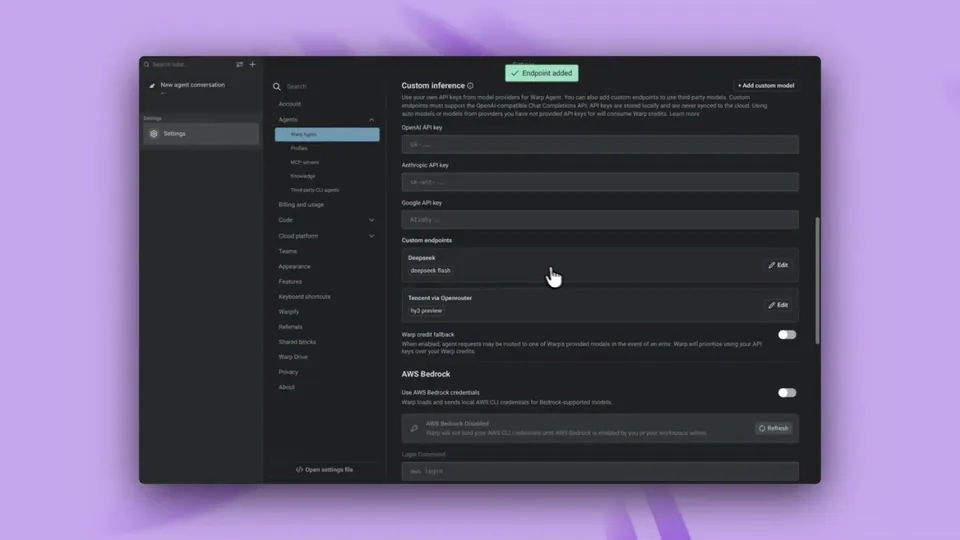
Warp, an agentic development environment (a terminal combining code editing with autonomous AI agents), integrated OpenRouter as a custom inference endpoint. This allows users to connect their OpenRouter URL directly to the Warp Agent, providing immediate access to models from Anthropic, OpenAI, and DeepSeek without leaving the command line.
Availability
All plans
Supported providers
Anthropic, OpenAI, Gemini, DeepSeek, and others
Key storage
Local only
Switching command
/model [alias]
Billing
Direct via OpenRouter
The integration joins the Warp open-weight model routing feature as a method for reducing development costs. By supporting OpenRouter, Warp becomes model-agnostic, letting developers choose the best model for any task. This gives developers granular control over their inference (the process of running a trained model) infrastructure and billing.
Enable this by adding your OpenRouter API key in settings under the custom inference endpoint section. Once configured, you can switch models using the /model command. This is available on all plans; because keys are stored locally, they are not synced to the cloud or used for cloud-hosted runs.
You can now connect your @OpenRouter URL directly to the Warp Agent.
OpenRouter unlocks a world of models including Anthropic, OpenAI, Gemini, DeepSeek, Kimi, and more, all with better prices and uptime.
Set your URL, model, and an alias to easily switch using /model. https://t.co/B14VySWTBB
You can connect OpenRouter by opening Warp's settings and navigating to the API keys configuration. Add your OpenRouter API key and set the custom inference endpoint URL. Once configured, you can assign an alias to specific models and switch between them directly in the terminal using the model command.
No, when you use your own API key through a custom inference endpoint like OpenRouter, Warp does not consume your AI credits. Instead, all inference costs are billed directly through your OpenRouter account. This provides full control over your billing and allows you to bypass Warp's internal credit system.
Yes, Warp stores your API keys locally on your device. These keys are never synced to Warp's cloud servers or retained by the company. Because the keys remain local, they are not available for cloud-hosted agent runs, which will continue to consume Warp credits rather than your personal keys.
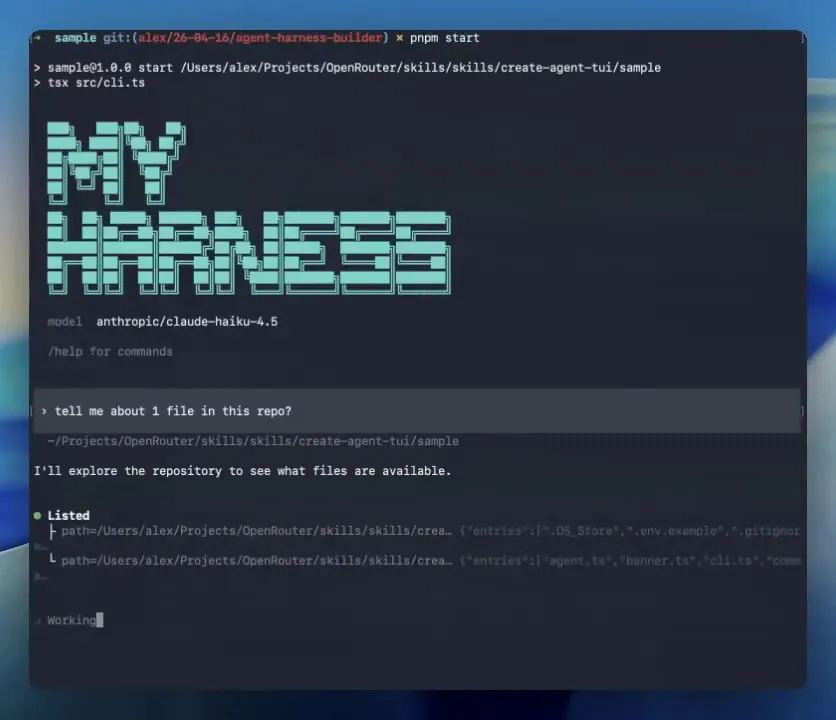
Connecting OpenRouter to Warp provides access to a vast library of models including Anthropic, OpenAI, Gemini, DeepSeek, and Kimi. This integration allows you to use both proprietary frontier models and open-weight models. You can easily switch between these different providers using an alias and the model slash command.
Yes, the ability to bring your own API key or use a custom inference endpoint like OpenRouter is available on Warp's Free plan and all eligible paid plans. This feature is accessible to individual users and organizations with ten or fewer employees, while larger organizations require a Business or Enterprise plan.
Every HeadsUpAI update is written based on its original source and reviewed before it's published. Read our editorial standards →