
OpenCode
@opencode
Try DeepSeek V4 in OpenCode today 1. `/connect` the DeepSeek provider 2. Grab your key from https://t.co/PsCesSngIy 3. Select DeepSeek-V4-Pro Tell us what you think
53retweets1.5klikes
View on X OpenCode
OpenCode integrated the newly released DeepSeek V4 Pro model into its open-source coding agent platform. This update allows developers to use the massive Mixture-of-Experts model for autonomous multi-file editing and complex reasoning tasks. The integration provides immediate access to the model for users who connect their own provider credentials.
This follows a rapid series of updates where OpenCode added Tencent Hy3 and Xiaomi MiMo v2.5. The move is part of a broader shift toward day-zero inference support for frontier models, allowing developers to swap in the latest models for agentic coding (AI that autonomously plans and executes multi-step software tasks) without waiting for proprietary IDE updates.
Access the model by running the /connect command in the OpenCode terminal and selecting the DeepSeek provider. After entering an API key from the DeepSeek platform, select DeepSeek-V4-Pro to drive autonomous terminal-based workflows. The model is available now for all OpenCode users with their own credentials.
Try DeepSeek V4 in OpenCode today 1. `/connect` the DeepSeek provider 2. Grab your key from https://t.co/PsCesSngIy 3. Select DeepSeek-V4-Pro Tell us what you think
Still wondering? A few quick answers below.
Every HeadsUpAI update is written based on its original source and reviewed before it's published. Read our editorial standards →
More like this
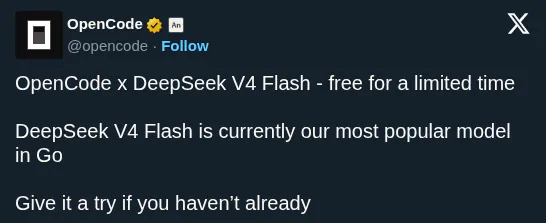 OpenCodeMay 12
 DeepSeekApr 30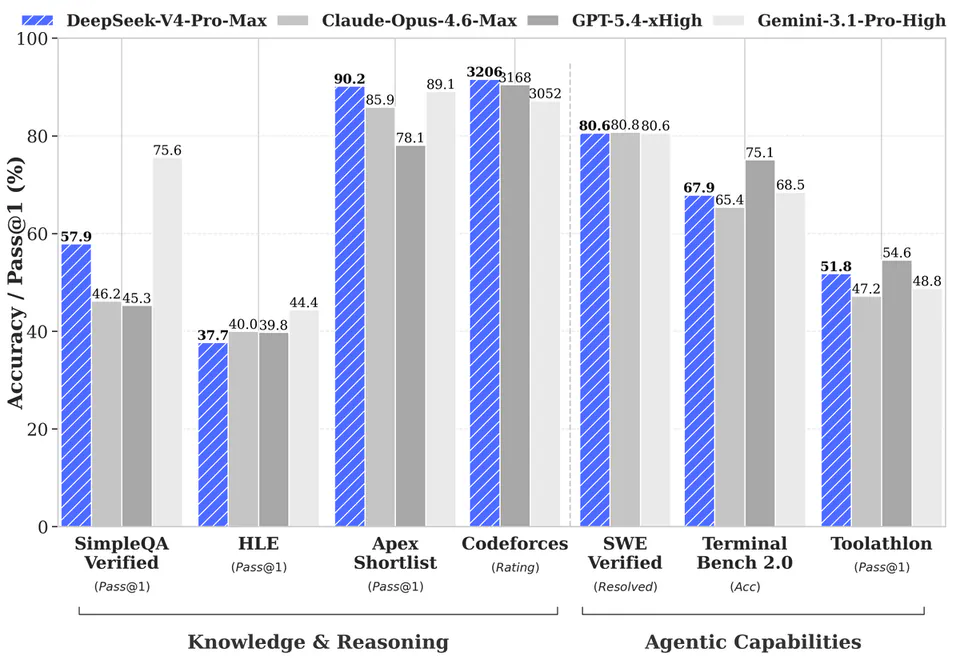
 Fireworks AIApr 27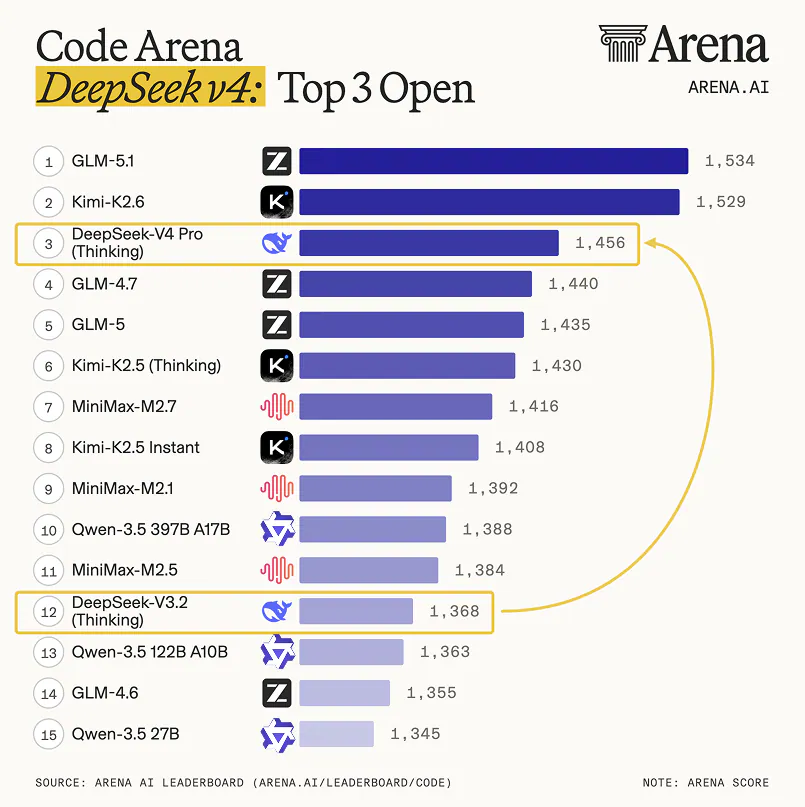
 ArenaApr 30