HeadsUpAI

Anthropic introduces ultracode trigger to prevent accidental Claude Code subagent fleets

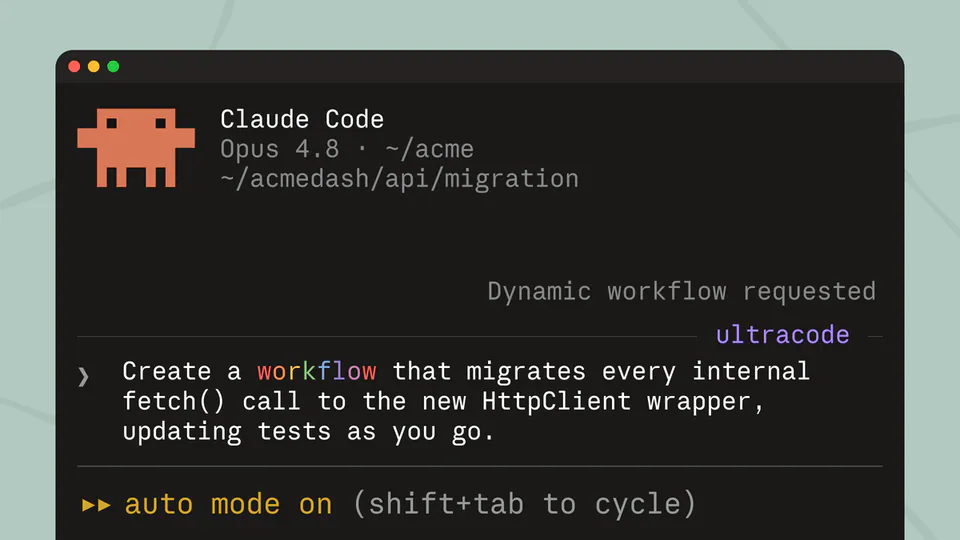
Anthropic updated the trigger for dynamic workflows in Claude Code. Users must now use the keyword ultracode to initiate the feature, which allows the agent to write orchestration scripts and deploy subagents. While "workflow" remains valid in natural language, it no longer serves as the primary automated trigger.
New trigger
ultracode
Previous trigger
workflow
Feature triggered
Dynamic workflows
Legacy phrase
"use a workflow" still understood

The shift follows feedback regarding accidental activations. Because "workflow" is a standard term, the agent occasionally launched agent orchestration—the coordination of multiple AI agents working together—when users intended a simple conversation. Moving to a unique keyword ensures that spinning up a subagent fleet is a deliberate user choice.

Users can trigger this by typing ultracode in the CLI. This mode is optimized for complex tasks where a single request spawns a fleet of coordinated subagents. The update is live for all users in the Claude Code research preview, providing better control over when the agent initiates its autonomous orchestration logic.

ClaudeDevs
ClaudeDevs
@ClaudeDevs
X

We've changed the trigger word from "workflow" to "ultracode". You can still say "use a workflow for this", but when you're clearly referring to something else, Claude won't kick off a dynamic workflow. For an explicit trigger, use "ultracode". We appreciate the feedback!

65retweets1.5klikes
View on X

Still wondering? A few quick answers below.

Anthropic has introduced ultracode as the explicit trigger for dynamic workflows. This keyword replaces the previous trigger word, workflow, which was causing the agent to unintentionally launch complex multi-agent tasks during standard conversations. Users must now use this specific term to initiate the tool's high-intensity orchestration mode.

Yes, you can still use the word workflow in your prompts. Claude will still understand the term in a natural language context, but it will no longer automatically kick off a dynamic workflow unless the intent is unmistakable. For a guaranteed activation of the subagent fleet, you should use ultracode.

Dynamic workflows are a feature where Claude writes its own orchestration scripts on the fly to solve complex tasks. Once triggered, the agent spawns a fleet of coordinated subagents to work in parallel. This capability is designed for large-scale operations like codebase-wide audits or massive migrations that exceed a single model's capacity.

Every HeadsUpAI update is written based on its original source and reviewed before it's published. Read our editorial standards →

Share this update