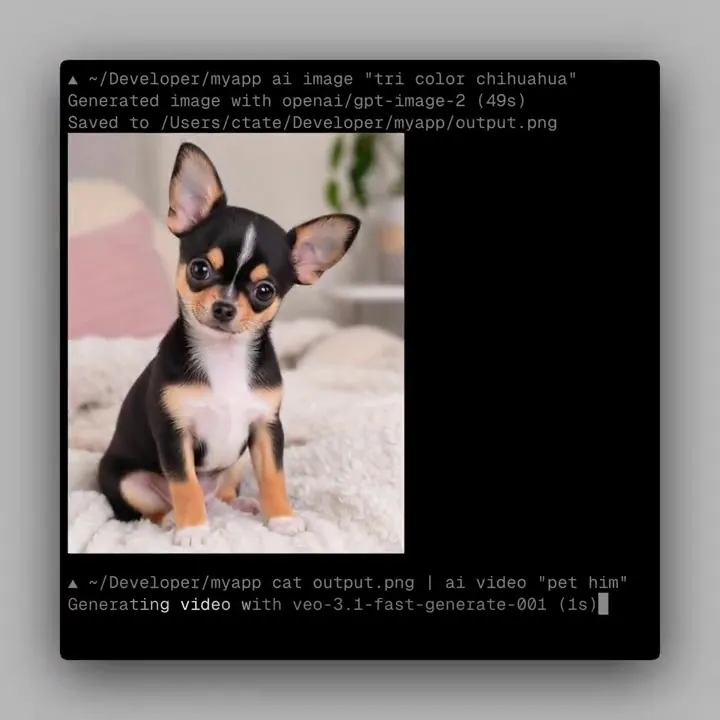
Now available in AI CLI Multi-image inputs → style transfer → product references → before / after comparisons Install: npm install -g ai-cli Example: ai image -i map.png -i grid.png -o map+grid.png "overlay grid on map" https://t.co/6BoEi53OA5
Vercel AI CLI v0.3.0 Adds Multi-Image Inputs for Terminal Workflows
Vercel released version 0.3.0 of its AI CLI, a terminal tool for generating text, images, and video. The update adds multi-image input support via the
-i flag and automatic detection for images piped through stdin (the standard input stream for terminal data). This enables multimodal engineering directly in the terminal.- Version
- 0.3.0
- New Flag
- -i / --image
- Input Support
- Multi-image and stdin
- Node.js Requirement
- 20 or higher
- Install Command
- npm install -g ai-cli
Referencing multiple files allows for precise workflows like style transfer and visual comparisons. By providing a programmable skill for coding agents to analyze or generate assets without leaving the command line, the tool fills a gap in agentic workflows. It allows agents to review UI screenshots or generate product assets as discrete, automated steps.
You can now combine subject images with style references or use sketches to guide product generation. The tool supports hundreds of models via the Vercel AI Gateway with inline previews for compatible terminals. Version 0.3.0 is available now via npm install -g ai-cli and requires Node.js 20 or higher.
Chris Tate
@ctatedev
20likes
View on XStill wondering? A few quick answers below.
Vercel AI CLI is a lightweight, terminal-based tool designed for generating text, images, and video. It uses the Vercel AI SDK and AI Gateway to provide a unified interface for hundreds of different AI models, allowing both humans and autonomous agents to trigger generations using standard command-line patterns.
In version 0.3.0, you can use the -i or --image flag multiple times in a single command to provide several reference images to a model. This is useful for tasks like style transfer, where you might provide one image for the subject and another for the desired aesthetic.
Yes, the v0.3.0 update introduces automatic vision stdin detection. This means you can pipe image data directly from another command into the AI CLI. For example, you can use a command to output an image and pipe it into the text command to have a vision-capable model describe it.
The tool connects to hundreds of models across various providers through the Vercel AI Gateway. Users can specify models using the -m flag with the creator and model name. If a model does not support specific features like multi-image input, the CLI will return an error from that provider.