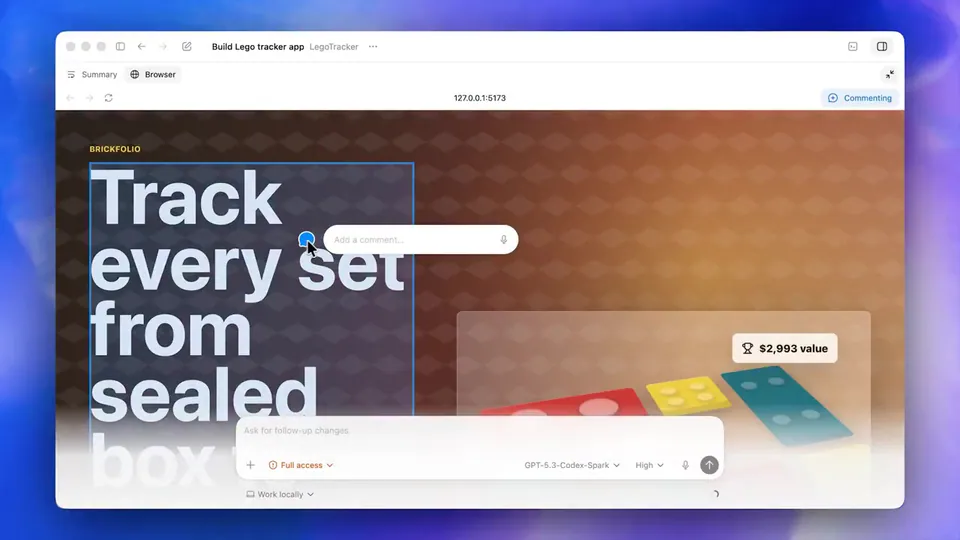
Last week, we released a preview of memories in Codex. Today, we’re expanding the experiment with Chronicle, which improves memories using recent screen context. Now, Codex can help with what you’ve been working on without you restating context. https://t.co/b3p8I5eXOy
OpenAI Launches Chronicle to Give Codex Persistent Memory of Your Screen
· Updated
OpenAI released Chronicle in research preview, an extension of the Codex memory system that builds context from screen activity. Background agents take periodic screen captures, extract information via OCR (optical character recognition), and summarize the data into local Markdown files that the model references during future prompts.
- Availability
- ChatGPT Pro subscribers on macOS
- Regional restrictions
- Not available in EU, UK, Switzerland
- Storage
- Local unencrypted Markdown files
- Screen capture retention
- 6 hours
- Required permissions
- Screen Recording and Accessibility
This update addresses the context bottleneck, following the launch of agentic coding capabilities in the Codex app. Instead of manually copy-pasting error logs, the agent maintains continuous awareness of the workspace. This shifts the interaction from reactive chat to a more proactive engineering partnership, building on unattended agent workflows.
Enable Chronicle in the Codex app settings if you are a ChatGPT Pro subscriber on macOS. The feature is currently unavailable in the EU, UK, and Switzerland. Because memories are stored unencrypted on your device, use the menu bar icon to pause the feature during meetings or when viewing sensitive data.
OpenAI Developers
@OpenAIDevs
165retweets2.4klikes
View on XStill wondering? A few quick answers below.
Chronicle is an experimental feature for the Codex desktop app that allows the AI to build persistent memories from your screen context. By observing what you are currently working on, Codex can understand references to failing code, open documents, or specific workflows without requiring you to manually provide background information or copy-paste context into the chat.
The feature runs background agents that take periodic screen captures of your desktop. These agents use optical character recognition and model-based summarization to extract relevant information from those images. This context is then saved as local Markdown files, which Codex can search and reference to provide more accurate assistance during your active engineering sessions.
Chronicle is currently available as an opt-in research preview for ChatGPT Pro subscribers using the Codex app on macOS. It is not yet available to users located in the European Union, United Kingdom, or Switzerland. Users must manually enable the feature in the personalization settings and grant the app screen recording and accessibility permissions.
Screen captures are stored temporarily on your computer for up to six hours before being deleted. While these images are processed on servers to generate summaries, the resulting memories are stored locally on your device in unencrypted Markdown files. You can pause the feature at any time or manually edit and delete these memory files to remove sensitive information.
Yes, enabling Chronicle increases the risk of prompt injection attacks from screen content. If you browse a website or view a document containing malicious instructions, Codex may inadvertently follow those instructions because it treats the screen context as part of its memory. Users are advised to pause the feature when viewing untrusted or highly sensitive content.