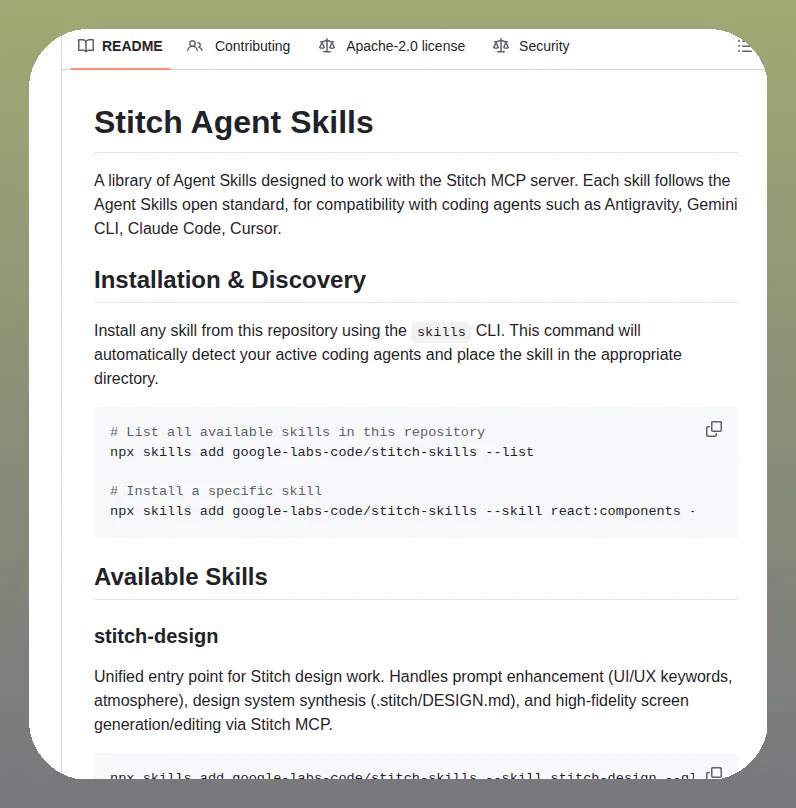
Here is Gemini CLI’s January 26th weekly update for v0.26.0 - 🧩Skills: Introducing Agent Skills that allow you to extend Gemini CLI with specialized expertise, procedural workflows, and task-specific resources. (vid, pr by NTaylorMullen) - Introduced the built-in skill-creator for generating tools - Added security consent prompts to ensure safer, easier management of agent capabilities. - 🪝Hooks: Now officially enabled by default, hooks provide a way to fully control and customize the agentic loop. (gif, work by Edilmo and abhipatel12) https://t.co/zF0eqckTsr - 🎉Gemini CLI Extensions: - Supabase https://t.co/NGGwuEQCd2 - Connect AI assistants directly to Supabase projects to manage tables, run migrations, and query data seamlessly without context switching. - ⏪New /rewind Command: Implemented the /rewind slash command, including a confirmation dialog and a new viewer component for navigating past states. If something goes wrong you now have the ability to revert both history and changes to a previous point in time. - Persistent "Always Allow" Policies: Users can now save "Always Allow" decisions for tool executions, with granular control over specific shell commands and multi-cloud platform tools. - Folder Trust: - Opening Gemini CLI in a folder for the first time will now surface a trust dialog - Enable or disable checking folder trust holistically with folderTrust in your settings.json. Discussion Post: https://t.co/cdnWW3lyVW 🧵