HeadsUpAI

Google Releases Chrome DevTools for Agents to Give AI Assistants Browser Vision

Google released the stable 1.0 version of Chrome DevTools for agents, moving its browser-automation suite for AI from preview to production. The update provides three interfaces: a Chrome DevTools MCP server for model connection, a command-line interface for batch scripting, and specialized agent skills for accessibility debugging.

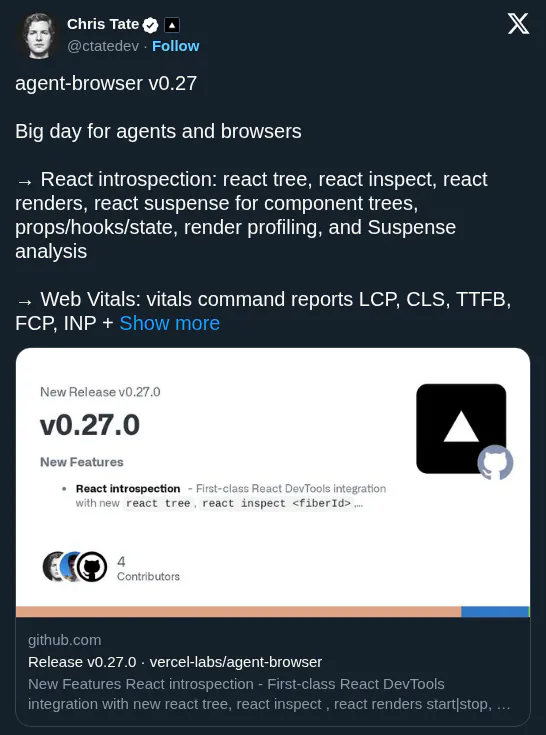
This release addresses the blindness of AI coding assistants that generate code but cannot see its behavior in a live browser. By providing native access to the Chrome runtime, Google enables autonomous quality gates that mirror Vercel Labs' agent-browser introspection. This follows the launch of Google's managed agents for Gemini API to simplify production-ready workflows.

Integrate these capabilities into tools like Claude Code and Gemini CLI to automate development cycles. A new auto-connect feature allows an agent to take over your active, authenticated browser session to debug dashboards requiring a login. The stable 1.0 package is available via npm or as a plugin.

Chrome for Developers
@ChromiumDev
X

📢 Just announced at #GoogleIO, Chrome DevTools for agents is now in stable 📢 It brings powerful browser debugging, emulation, and Lighthouse audits to coding agents via an MCP server, CLI, and specialized agent skills → https://t.co/TqcLOrYBFh https://t.co/yuY9JClZoE

9retweets60likes
View on X

Still wondering? A few quick answers below.

Chrome DevTools for agents is a suite of debugging and automation tools designed to give AI coding assistants visibility into the browser. It allows agents to inspect the DOM, analyze network activity, and observe application behavior in real time. This helps agents verify their own code and fix bugs by seeing how a website actually performs.

You can connect an agent using three primary methods: a Model Context Protocol server, a command-line interface, or specialized agent skills. The MCP server acts as a standardized bridge between large language models and the browser, while the CLI allows agents to run batch scripts. These tools are compatible with environments like Claude Code and Gemini CLI.

Yes, the stable 1.0 release allows AI agents to run Lighthouse audits autonomously. Agents can identify issues related to SEO, accessibility, and general best practices without human intervention. This capability turns the coding agent into a quality gate that can catch performance blockers or accessibility errors before code is ever deployed to a production environment.

The auto-connect feature allows an AI agent to take over a user's existing, authenticated browser session instead of starting in a fresh sandbox. This is particularly useful for debugging complex issues that require a login, such as an authenticated dashboard, as it lets the agent investigate technical problems without requiring the user to re-authenticate.

Chrome DevTools for agents is now available as a stable 1.0 release for all developers. You can install the package via npm or integrate it directly into supported coding tools like Claude Code, Gemini CLI, and Antigravity 2.0. The source code is also publicly available on GitHub for those who want to explore the implementation details.

Share this update