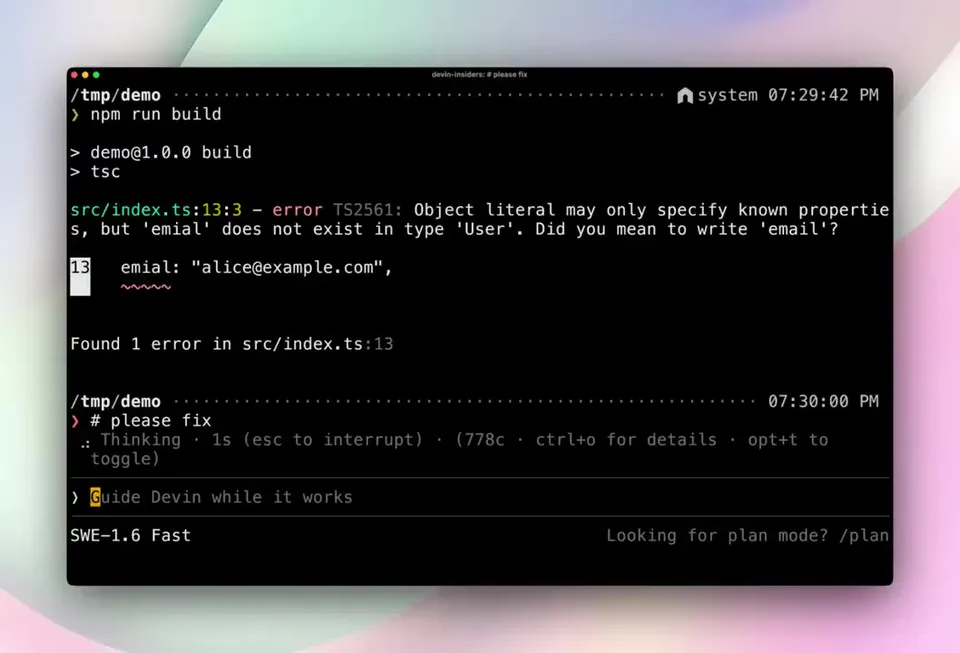
The terminal hasn’t changed much since the 1970s. What you do with it has. Introducing Devin for Terminal: everything we learned building Devin, now as a local agent, available right in your shell. And when your work outgrows your laptop, hand it off to the cloud.
Cognition Launches Devin for Terminal With Seamless Cloud Handoff
· Updated
Cognition, an applied AI lab building end-to-end software agents, launched Devin for Terminal to bring its autonomous engineering capabilities to the local shell (command-line interface). The tool functions as a local agent that can navigate codebases and execute commands. It mirrors Windsurf's cloud delegation by allowing local-to-remote task handoff.
- Availability
- Available now
- Interface
- Local shell / CLI
- Rendering Engine
- Custom Rust library
- Cloud Handoff
- Supported via /handoff command
- Execution Environment
- Local or Cloud VM
- Persistence
- Cloud sessions continue after local disconnect
This update shifts Devin from a cloud sandbox into a hybrid tool. By handing off local sessions to the cloud, Devin continues working in a remote VM (virtual machine) even after the user goes offline. This follows the scale of Cognition's Mercedes-Benz partnership to move AI coding from experimental use to persistent engineering automation.
You can now initiate tasks in your terminal and use the /handoff command to move sessions to the cloud. The interface uses a custom Rust rendering library for high-speed output. The tool is available now and extends GPT-5.5 powered reasoning to the local CLI.
Cognition
@cognition
51retweets524likes
View on XStill wondering? A few quick answers below.
Devin for Terminal is a local version of Cognition's AI software engineer that runs directly in your command line. It allows you to use Devin's autonomous coding and reasoning capabilities on your own machine. Unlike the original cloud-only version, this tool lives in your shell to handle local files and commands.
The cloud handoff feature allows you to move a local coding session to a remote cloud environment using a specific command. Once transferred, Devin continues executing the task in a dedicated virtual machine. This ensures that complex or long-running engineering work can proceed even after you close your laptop or disconnect from the internet.
Cognition developed a custom terminal rendering library written in Rust to ensure the interface is as fast and responsive as possible. This library handles the display of the agent's actions and outputs with minimal latency. The efficiency of this rendering system was demonstrated by running the modern agent interface on a vintage VT-100 terminal.
Devin for Terminal starts as a local agent running on your hardware, allowing you to work within your own shell environment. While it operates locally, the hybrid design is intended to bridge local work with cloud persistence. You can start a task locally and then delegate it to the cloud for continued asynchronous execution.
Devin for Terminal is available for users to try starting today through the official Devin website. It is positioned as a collaborative teammate for software engineering teams who want to integrate autonomous agents into their existing command-line workflows. Users can set up the tool in seconds to begin running agentic sessions locally.