Google Transforms Stitch Into Agentic Design Partner With Real Time Builds
Google·
· Updated
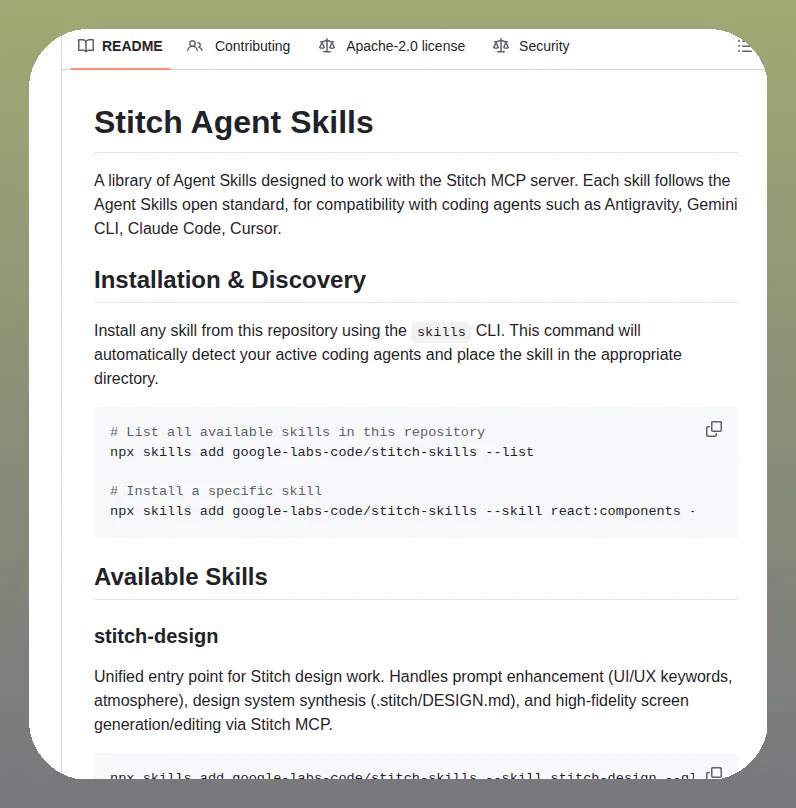
Google updated Stitch, its AI-native design canvas, to support live streaming builds and direct codebase imports for brand-consistent UI generation. The tool now integrates with the Model Context Protocol to enable autonomous collaboration between design layouts and external AI coding agents.
Google expanded Stitch, its AI-powered software design canvas, into an agentic partner that generates production-ready frontend code from natural language or wireframes. The update introduces live streaming builds, allowing for interactive feedback as layouts update in real-time. It also supports importing existing codebases to ensure generated components remain on-brand.
Output formats
HTML, CSS, Tailwind
Input sources
Text, wireframes, screenshots, and more
Protocol support
Model Context Protocol (MCP)
Availability
Free, English-speaking Gemini regions
Deployment
Direct to shareable URL
This shift addresses the friction between mockups and functional code by treating the canvas as a live environment. The update aligns with Andrew Ng's frontend acceleration analysis regarding agentic workflows, moving beyond static exports. It positions the tool as a first-class citizen in the emerging agentic infrastructure where autonomous systems navigate software directly.
You can now build multi-screen interactive prototypes with functional hotspots and export them directly to shareable URLs. The tool generates clean HTML, CSS, and Tailwind code that can be synced with external agents for automated testing or layout edits. Stitch is currently available for free in English to users in regions where Gemini is supported.
🪡 @stitchbygoogle is your agentic AI design partner.
Move from an idea to a live mobile and web app UI in a single flow. Here’s what’s new for builders…
𓏵 Design with Stitch more naturally and intuitively. Stitch now streams the design build live so you can make edits, give interactive feedback, and watch the layout update in real-time without losing your flow.
𓏵 Skip the blank canvas and start from existing files. Import your codebase or Design.md directly, and let Stitch build from your actual production components so everything stays on brand.
𓏵 Start designing in motion. Stitch can now generate dynamic, moving interfaces so you get a kinetic UI that actually looks, feels, and functions like a finished product.
𓏵 Take designs directly to production. Skip complex deployment pipelines and export your projects to a live, shareable URL.
These updates to Stitch are a step up for prototyping and deployment.
Available globally today: https://t.co/XbLrXdGtXB
Google Stitch is an AI-native software design canvas developed by Google Labs. It transforms natural language prompts, hand-drawn wireframes, or screenshots into fully editable user interfaces. The tool bridges the gap between design and development by generating production-ready frontend code, including clean HTML and CSS with Tailwind support.
Stitch now supports the Model Context Protocol, which creates a two-way feedback loop between the design canvas and external AI coding agents. This allows an AI agent to view your designs, request direct layout edits, or automatically generate design variants without requiring you to manually move context between your design tool and code editor.
Google Stitch is currently available free of charge, though it operates on a daily credit limit that resets at midnight UTC. You can monitor your available credits within the Stitch settings page. It is available in English to users aged 18 and older in countries where Google Gemini is supported.
Yes, you can export your generated user interfaces directly to Figma. Stitch creates properly structured Auto Layouts, named component layers, and editable text fields to ensure a seamless transition for further design work. You can also export static HTML code that matches the design and Figma export for development use.
Stitch allows you to generate multiple related screens within a single project and connect them using interaction hotspots. This capability enables you to create interactive multi-screen flows, letting you click through and simulate a user experience before writing any backend code or setting up complex deployment pipelines.
Every HeadsUpAI update is written based on its original source and reviewed before it's published. Read our editorial standards →