OpenAI Upgrades Codex to GPT-5.5 With Expanded Browser and Computer Use

Agentic Coding
Computer Use
GPT
Image Generation
AI Agent

OpenAI Upgrades Codex to GPT-5.5 With Expanded Browser and Computer Use
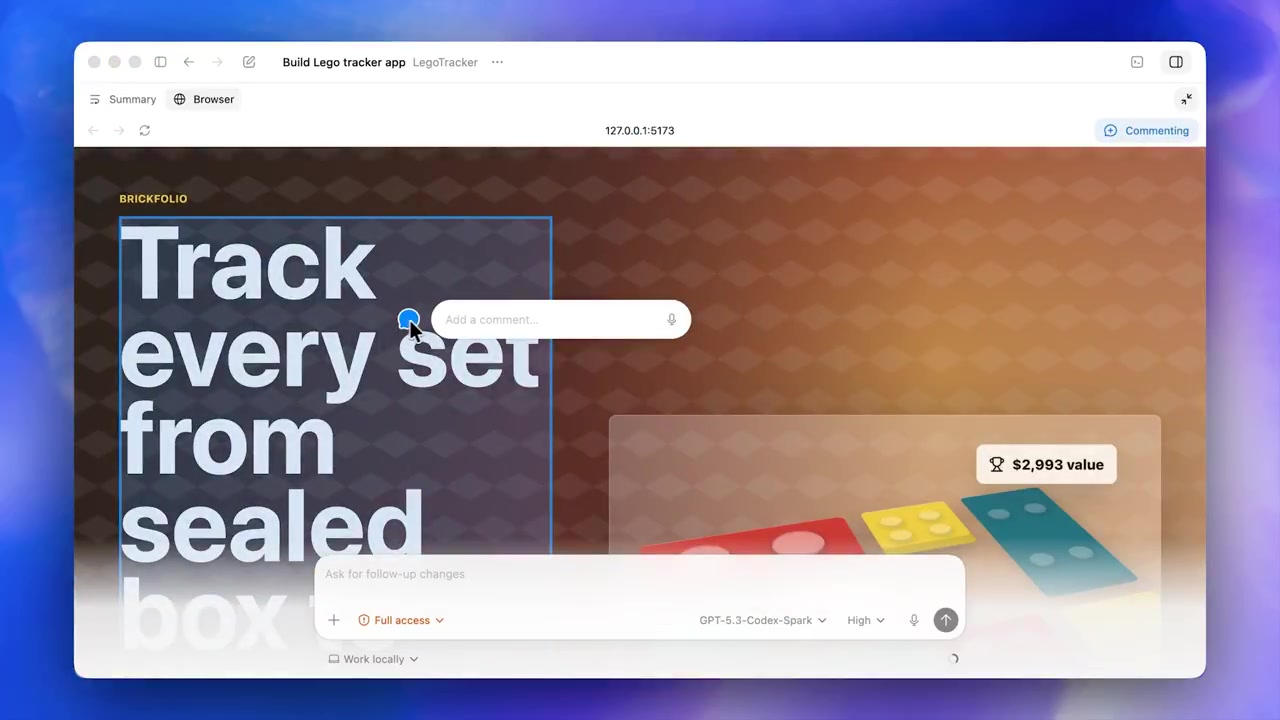
OpenAI upgraded its Codex agentic coding (autonomous software development and iteration) platform to GPT-5.5, introducing expanded browser and computer use capabilities. The agent can now interact with web applications, execute test flows, and capture screenshots. This update also integrates gpt-image-2 for generating UI mockups within the same workflow.

This release marks a transition from code generation to autonomous engineering execution. By giving the agent direct control over the browser and local files, it can handle complex tasks that previously required manual intervention. It follows a broader industry shift toward computer use where agents operate graphical interfaces.

You can now use the Codex app to run parallel agent workflows using Worktrees or set up Automations for background tasks. The platform is available via the IDE, terminal, or a desktop app, which has a waitlist. Teams starting now can earn up to $500 in credits.

Read the full update →

Frequently asked questions

What is OpenAI Codex?
Codex is an AI coding agent powered by ChatGPT that helps developers build and ship software. It operates across multiple surfaces, including a desktop app, an IDE extension, and a command-line interface. It is designed to handle end-to-end engineering tasks like feature building, complex refactors, and migrations rather than just providing simple code completions.
What are the new browser and computer use capabilities in Codex?
With the GPT-5.5 update, Codex can now autonomously interact with web applications and the general computer interface. It can navigate browsers to test flows, click through pages, and capture screenshots to iterate on tasks. This allows the agent to work across files, documents, and web apps to complete complex engineering jobs without manual direction.
How does image generation work within the Codex workflow?
Codex now integrates gpt-image-2, allowing users to generate and edit visuals directly while building applications or mockups. Developers can use a specific skill to create assets like landing page hero images or UI components. The agent generates the visual, shows the result, and can provide variations to ensure the design aligns with the project requirements.
What is the difference between Codex Automations and Skills?
Skills are reusable capabilities that help Codex understand a team's specific standards for tasks like prototyping or documentation. Automations allow Codex to work unprompted in the background on routine engineering work. This includes monitoring CI/CD pipelines, triaging issues, and checking for software crashes, allowing developers to focus on high-level system design and high-leverage decisions.
How can I access the new Codex app and features?
You can use Codex through an IDE extension, the terminal via a command-line interface, or the dedicated Codex app. While the IDE and terminal tools are available for use, the Codex app currently has a waitlist that users can join. Teams starting with Codex may also be eligible for up to $500 in credits to support their workflows.